


How to Seamlessly Convert 2D Drawings into 3D AutoCAD Models Without Losing Detail
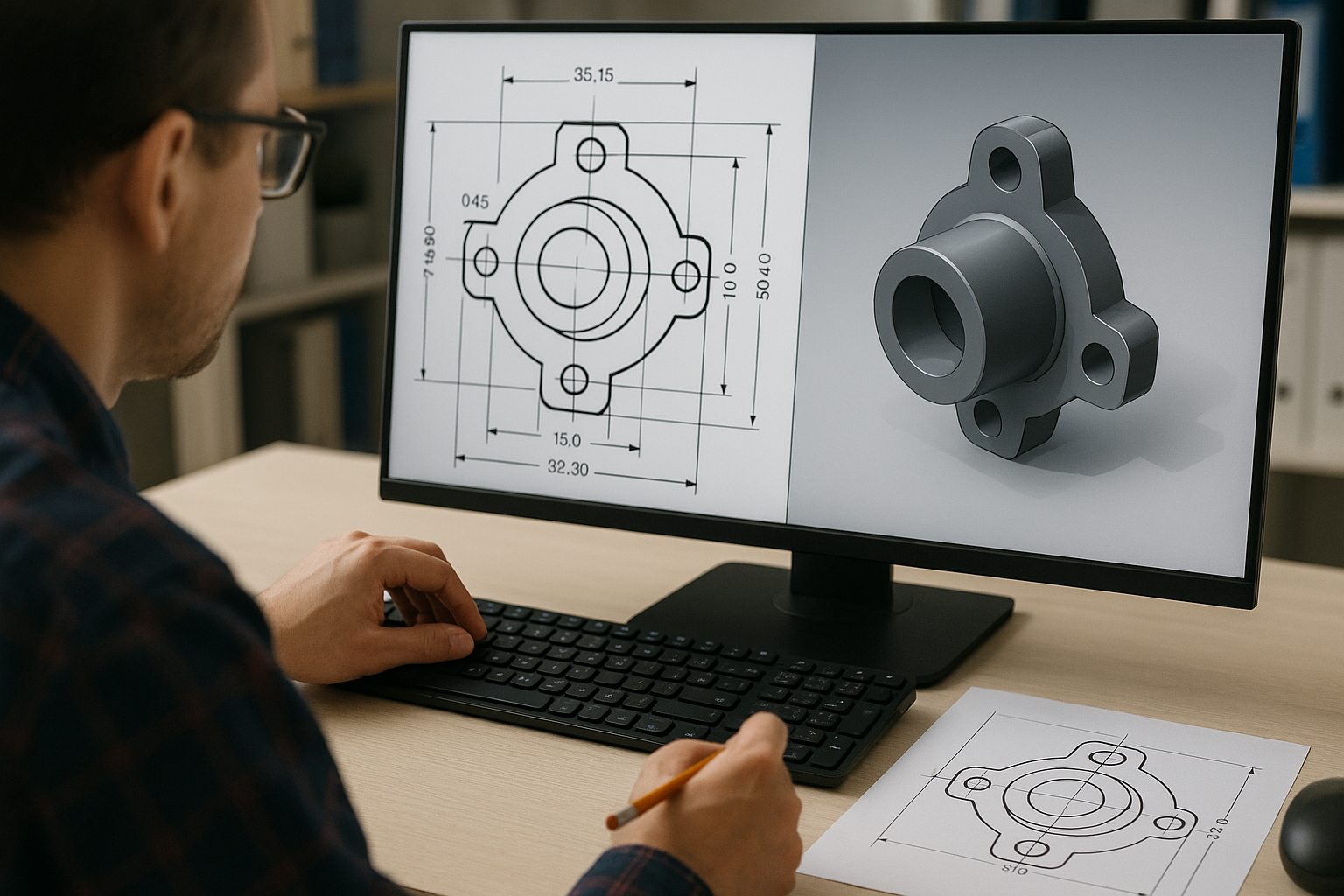
If you’ve ever tried to convert 2D drawing to 3D model and ended up with a tangled web of unclear edges, missing geometry, or distorted features, you’re not alone. Across the UK and globally, architects, engineers, contractors, furniture manufacturers, and product designers are increasingly transitioning to 3D environments yet many still struggle with the complexity of moving from flat drawings to fully realized 3D models without compromising detail or accuracy.
Today, the design world is shifting faster than ever. The UK alone is projected to see a steady growth in digital engineering adoption, with BIM-related workflows estimated to rise significantly as companies embrace automation and 3D modeling for better efficiency. As organisations race toward smarter design processes, the need for reliable 2D to 3D CAD conversion services becomes impossible to ignore.
This article explores how businesses can convert 2D drawings into 3D AutoCAD models seamlessly, what challenges typically arise, and which trends are redefining the conversion landscape. Most importantly, it answers the questions decision-makers usually ask when evaluating their next upgrade into 3D.
Why Is Converting 2D Drawings to 3D Models So Important Today?
The shift from 2D to 3D isn’t just about aesthetics it’s about clarity, speed, and risk reduction.
Architects and engineers increasingly rely on 3D models for better coordination, especially in sectors like construction, manufacturing, millwork, furniture design, and product engineering. According to a study by the UK’s Centre for Digital Built Britain, companies adopting 3D and digital workflows experience fewer costly errors and a significant boost in project communication.
When teams work with detailed 3D AutoCAD models, they gain:
-
Improved visualization for design reviews
-
Better detection of clashes before construction
-
Enhanced measurement accuracy
-
Smoother collaboration across multi-disciplinary teams
-
More precise cost estimation and material planning
In simple terms: converting 2D drawing to 3D model saves time, reduces risk, and unlocks clarity.
But the real challenge is doing it without losing detail especially when working with legacy drawings or complex technical plans.
What Challenges Do Businesses Face During 2D to 3D Conversion?
Even seasoned designers know the process can be trickier than it appears. Some common challenges include:
1. Incomplete or outdated 2D drawings
Legacy drawings often lack sufficient detail, requiring interpretation or redrawing.
2. Misalignment of scale and dimensions
If a drawing isn’t clean, scaled, or layered correctly, errors creep into the 3D model.
3. Manual conversion takes time
Creating a 3D model from scratch even with a clean 2D drawing can consume hours or days.
4. Variation in design standards
UK standards don’t always match those from the US, EU, or UAE, leading to inconsistent outputs.
5. Lack of trained 3D CAD specialists
As the market leans heavily into automation and BIM, skilled technicians are becoming harder to find globally.
Industry data shows that over 30% of design rework originates from inaccurate or incomplete drawings, reinforcing why precision during conversion matters more than ever.
How Do You Convert 2D Drawings into 3D AutoCAD Models Without Losing Detail?
Let’s break down the process into a clear, practical workflow. Whether you're an architect trying to visualise an interior space, a mechanical engineer refining a part, or a contractor interpreting shop drawings, these steps ensure clarity and accuracy.
Step 1: Start with Clean, Well-Organized 2D Drawings
AutoCAD’s 3D modelling tools thrive on clarity. Before any conversion begins, ensure:
-
Layers are named and categorized
-
Annotations and dimensions are correct
-
Duplicate lines are removed
-
Hidden geometry is clearly marked or represented
-
Scale and units are consistent
Think of it as tuning a musical instrument before starting the performance.
Step 2: Use AutoCAD’s Built-in 2D to 3D Tools
AutoCAD has evolved significantly. Its latest versions include intelligent modelling tools that simplify the transition:
-
Extrude for converting closed shapes into 3D solids
-
Presspull for modifying faces interactively
-
Revolve for circular components
-
Sweep for curved or non-linear elements
-
Loft for complex surfaces between profiles
For many industries, these tools transform the usual 2D to 3D conversion drawings into precise, build-ready 3D assets.
Step 3: Rebuild Geometry Using Parametric Constraints
Parametric features ensure your model doesn't fall apart when dimensions change. This is crucial for:
-
Joinery and millwork components
-
Mechanical parts
-
Structural assemblies
-
MEP layouts
Applying constraints early prevents inconsistencies later in the design.
Step 4: Add Details Carefully (Fillets, Chamfers, Cutouts, Joints)
This is where many teams accidentally lose detail.
The goal is to recreate every feature intentionally, not rely on assumptions.
Ask yourself:
-
Does the original drawing include hidden parts that must be revealed in 3D?
-
Are surface finishes or tolerances relevant for the model?
-
Should patterns, joints, or assembly details be included?
A carefully detailed model eliminates rework and reduces errors downstream.
Step 5: Validate the Model with the Original 2D Drawing
Cross-checking is essential:
-
Compare dimensions
-
Verify geometry accuracy
-
Run clash detection (if using BIM or 3D coordination tools)
-
Check fitting points or alignment with adjacent components
Think of this step as your quality gate before issuing the model to stakeholders.
What Are the Latest Trends Shaping 2D to 3D CAD Conversion in the UK?
The UK market is currently experiencing a rapid shift toward digital engineering, especially across construction, manufacturing, and product design. Some standout trends include:
1. BIM-Ready 3D Models
Companies increasingly expect models that integrate seamlessly with BIM workflows.
This means higher accuracy and metadata-rich modelling.
2. Automation and AI-Assisted Conversion
New AI-assisted tools can detect patterns in 2D drawings and recommend 3D logic—speeding up early modeling stages.
3. Demand for ISO-Compliant Outputs
ISO 19650 remains a major standard for UK digital construction, pushing companies to adopt consistent modeling practices.
4. Rise of Offshore + Onshore Hybrid Workflows
Many UK firms now combine local design teams with offshore specialists to reduce turnaround time while controlling costs.
5. Growing Need for 2D to 3D CAD Conversion Services
Companies want to convert old archives, update legacy assets, and align models with modern digital systems.
How Can Businesses Avoid Losing Detail During Conversion?
Here are practical, real-world techniques that experienced CAD teams use:
✔ Use reference drawings and photos
Especially for manufacturing, millwork, or mechanical parts.
✔ Apply advanced layer management
Clean layers = clean 3D outputs.
✔ Build the model in logical stages
Base geometry → extrusions → features → assemblies.
✔ Standardize templates and units
Prevents conflicts when collaborating across regions.
✔ Conduct peer reviews
Fresh eyes catch small inconsistencies.
When Should You Outsource 2D to 3D Conversion?
If any of these feel familiar, outsourcing is worth considering:
-
Your team has tight deadlines
-
You’re dealing with complex assemblies
-
You’re converting large libraries of drawings
-
You need models ready for BIM or fabrication
-
You lack in-house 3D AutoCAD specialists
Outsourcing 2D to 3D CAD conversion services ensures accuracy while freeing internal teams to focus on higher-value tasks like engineering, R&D, or client engagement.
What Industries Benefit the Most From 2D to 3D Conversion?
This conversion process supports a wide range of sectors:
-
Architecture
-
Construction
-
Millwork & joinery
-
Furniture design
-
Mechanical engineering
-
HVAC & MEP
-
Industrial product design
-
Automotive & aerospace
-
CNC manufacturing
Put simply, any industry that needs clarity and precision can benefit greatly.
Is AutoCAD Still the Most Reliable Tool for 2D to 3D Conversion?
Absolutely. AutoCAD remains the backbone of digital drafting and modeling worldwide especially in the UK market thanks to:
-
Its compatibility
-
Customization options
-
Robust 3D tools
-
Smooth transition between 2D and 3D
-
Widespread industry acceptance
For companies using both legacy 2D drawings and new digital workflows, 2D to 3D conversion in AutoCAD offers the perfect bridge.
Conclusion:
In an industry where time, accuracy, and clarity determine success, being able to convert 2D drawing to 3D model without losing detail is a major competitive advantage. Whether you're modernizing legacy archives, preparing models for BIM workflows, or enhancing client presentations, the benefits are undeniable.
For UK and global businesses that need precise, high-quality 2D to 3D conversion drawings, partnering with a specialist team can transform your design pipeline. A leading UK-based CAD design company like Shalin Designs offers expert support in delivering accurate, well-organized, and fabrication-ready 3D AutoCAD models tailored to your industry standards.

 English
 Arabic
 French
 Spanish
 Portuguese
 Deutsch
 Turkish
 Dutch
Dutch
 Italiano
 Russian
 Romaian
 Portuguese (Brazil)